
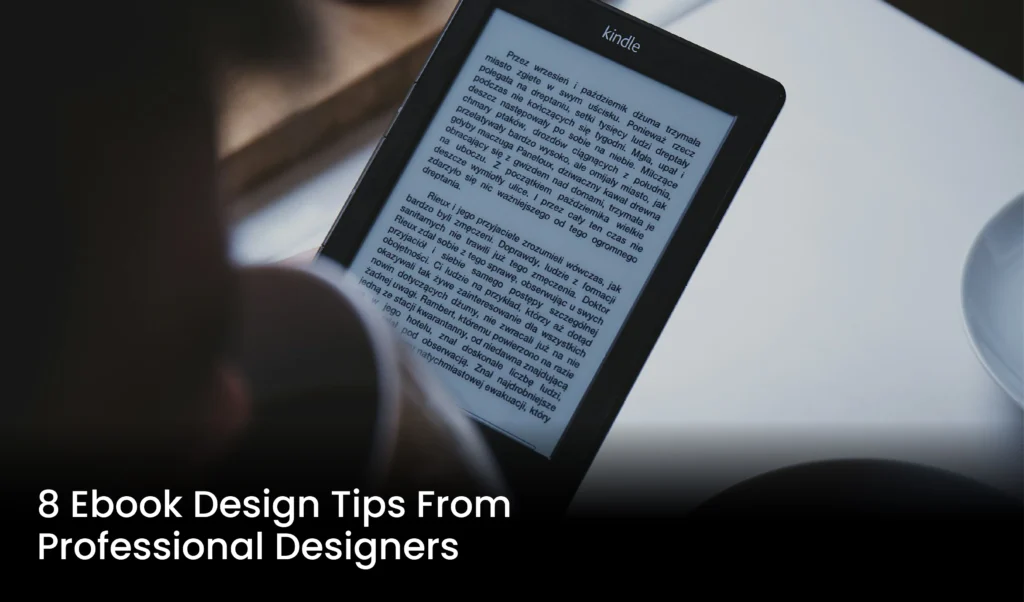
eBook design is not only important for aesthetics but also for reader experience, brand identity, and accessibility. A good design improves readability, brand recognition, and visual appeal. In this blog, we will share 8 important ebook design tips from professional designers that will make your ebook look professional and attractive.
Why Is E-book Design Important?
Text is indeed the most important aspect of any book. However, your ebook design can have a huge impact on its sales. And the matter does not end here! Several other important factors influence ebook design, including:
1. Reading Experience
A clean and organized design of content helps to engage the reader. Clear headings, proper line spacing, and balanced paragraphs enhance reading fluency.
2. To Be Readable
Select a good Font size, and line spacing plays an important role in readability. A good font and appropriate size help the reader to read the content easily.
3. Visual Appeal
Create attractive images, graphics, and colorful themes to make e-books visually appealing to the reader’s attention.
4. Branding and Identity
Ebook design reflects your brand identity. The use of color schemes, fonts, and logos strengthens brand recognition.
5. Accessible
The design of the e-book is accessible to different reader groups.
Top 8 Tips For Designing a Professional E-Book
1. Determine Your Ebook’s Purpose and Target Readership
When you write an e-book, it is very important to provide a solution to a problem or promote your business or brand. Having a clear purpose will help you set a direction for your content and keep your writing organized.
Similarly, identifying the target audience is also important. Is your book for students, entrepreneurs, women, or technology enthusiasts? By understanding user interests and language, you can create content that is understandable for the reader.
2. Design an Attractive Book Cover
The cover is the first impression a reader has. A good cover attracts the reader’s choice of colors, images, or graphics, and the layout of the title plays a key role in the attractiveness of the cover. The cover must not only be beautiful but also look clean on mobile and different devices. If you don’t have design experience, you can take the help of a professional graphic designer or use online tools like Canva that provide easy templates.
3. Choose a Simple and Logical Layout and Structure
The layout of the e-book improves the reading experience for the reader. The content should be arranged in an orderly manner so that the reader does not get confused while reading. Begin each chapter with a clear heading and simplify the content with paragraphs, lists, and tables.
The structure should include an introduction, main content, and conclusion. If your content is long, divide it into different sections or chapters. Use a table of contents, page numbers, and clear headings so the reader can navigate easily.
4. Balanced Use of Colors
Colors are not only for beauty, but they also convey emotions and messages. An effective color scheme makes your eBook look more professional and appealing. It is important to have adequate contrast between background and text colors for ease of reading.
Simplicity is better in choosing colors. Three to five colors that complement each other are enough. With branding in mind, if you have specific colors for your company or personal brand, be sure to use them to make your identity stand out.
5. Correct Selection of Fonts and Sizes
Font is the factor that can make reading easier or harder for the reader. Always choose simple, clean, and user-friendly fonts like Arial, Helvetica, or Nastaleeq in Urdu. Also, different fonts can be used for different elements, such as a prominent font for the heading and a plain font for the body text.
Font size is also important. A size of 12 to 14 points is generally suitable for body text, while a larger size, such as 18 or 24 points, can be used for headings. Choose a font and size that is legible on every screen, keeping mobile and tablet reading in mind.
6. Add Relevant Visual Elements
Visual content, such as pictures, icons, infographics, and charts, helps explain information better. A picture is worth a thousand words, especially when explaining something complex. Images should be of high quality and relevant to the content. Unnecessary or low-quality images can spoil the reader’s impression. Use self-made or royalty-free images if possible, and it’s best to provide a description or caption below each image.
7. Add Interactive Elements and Multimedia
The beauty of a digital eBook is that you can expand it from plain text to interactive. Such as adding clickable links, quizzes, slideshows, or even videos. All these elements help to maintain the interest of the reader and make the study more effective.
You can explain something more effectively with videos or audio clips, especially if you’re delivering training or instructional content. Make sure that all these media files don’t take much time to load and can be played on every device.
8. Optimize for Mobile Devices
Useful tools for e-book design
- Canva: A free online design tool that provides templates for ebook covers and pages.
- Adobe InDesign: A powerful software for professional design that handles complex layouts and graphics.
- Kotobee Author: An eBook authoring platform that provides interactive features and customized layouts.
- Calibre: A free software used to convert eBook formats and manage metadata.