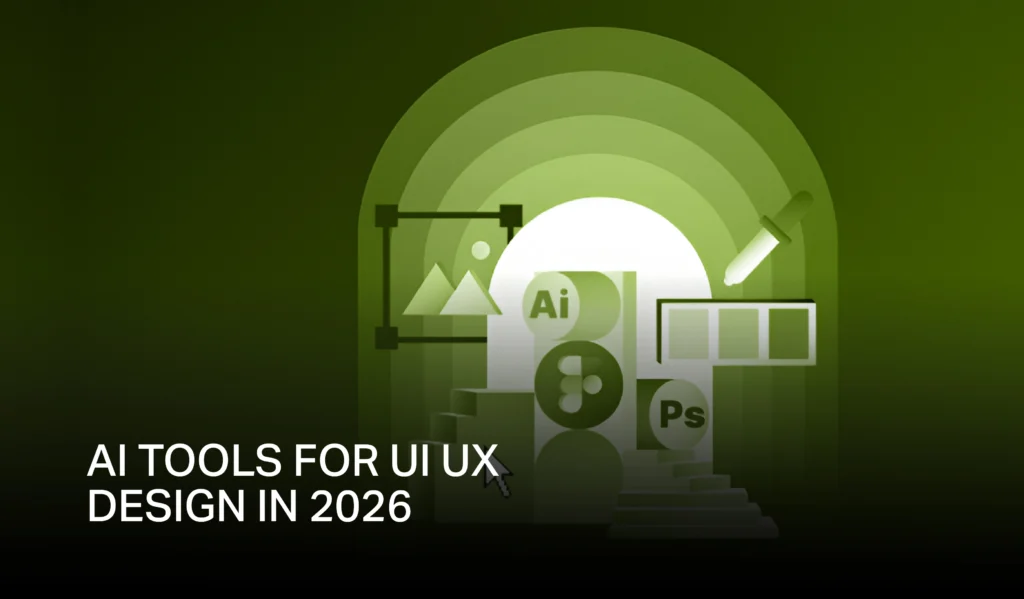
As time flies like an arrow, AI has become the silent ambassador for growing your online presence. That helps people to accelerate workflows, simplifies research, and overhead the best UI UX design outcomes. Today, every business is using AI tools for UI UX design to create fast, intuitive, and user-valued digital experiences. Because “ A Good design is the silent ambassador of your brand.”
This is why Innova Designz is here today to help you find the tools that streamline ideation, research, wireframing, and user testing. They will also help your designers generate prototypes, analyze insights, and craft meaningful interactions. So let’s start this blog to explore the most powerful AI tools for UI UX design. To understand how they work and why they matter in modern product development, with the ui ux design trends 2026.
What Are The Role Of AI UI UX Design Tools In 2026?
UI and UX tasks are once again getting automated with AI tools. And this really helps designers in performing research, generating concepts, and building interfaces faster with AI tools for ux research. Many of these platforms offer integrated assistants, specialized automation, and intelligent suggestions. So, designers can explore options quickly and deliver well-structured user journeys.
These ui design tools, ux design tools, and ui ux design tools also support text prompts, research workflows, and specific tasks. That usually takes hours to complete when done manually. The rise of AI in UX makes design more efficient, accurate, and user-focused.
10 Best AI UI UX Design Tools in 2026
Down there, we have provided a detailed breakdown of the leading AI-powered tools. These are shaping the future of UI and UX in the coming years. So, read below to upgrade your designing journey with the best AI ui ux design tools.
1. Uizard
Uizard is a specialized ui design tool that is created to convert sketches, ideas, or text prompts into clean UI screens. This ui design tools help designers jump from concept to interface in minutes. It is ideal for fast experimentation and team ideation. Uizard also supports automated styling that speeds up the project timeline.
Features:
- Converts hand-drawn sketches into digital prototypes
- Generates UI layouts from simple text prompts according to the UX design principles
- Offers built-in templates and quick styling controls
- Supports collaborative workflows for teams
2. Galileo AI
Galileo AI is a user interface design tool that creates A-one quality UI designs with detailed text prompts. It is trained by modern patterns and can generate thoughtful layouts. With this advanced tool, designers can modify outputs easily in just a few minutes. This platform is perfect for speedy concept generation.
Features:
- Creates screens based on AI-powered text prompts
- Produces a clean and modern layout with ai ui design tools
- Allows style customization for brand consistency
- Supports export to various design tools
3. Visily
Visily is the best ui ux design tool that helps teams create high-fidelity mockups while excluding all the complex knowledge. It is great for product managers, founders, and non-designers. AI assists in generating themes and layouts with the tool, which also works well for quick prototypes.
Features:
- This ux design AI tools generate stunning high-fidelity mockups
- Converts screenshots into editable designs
- Offers AI theme creation for brand alignment
- Provides fast prototyping options
4. Figma AI Plugins
Figma plugins bring AI directly into a designer’s main workspace. AI in ux tools rise ideation, layout generation, and component creation. Designers can create screens faster using AI-powered suggestions. Productivity increases without leaving the Figma workspace.
Features:
- Helps automate layout and content creation
- Improves design quality with AI suggestions
- Integrates seamlessly into existing workflows
- Supports quick prototyping and ideation
5. Miro Assist
Miro Assist is an integrated assistant for collaborative boards. It helps teams brainstorm in a smarter and organized way with all the information. This is the best AI tool for ux designers that transforms raw ideas into structured flows, which accelerates workshops and planning sessions.
Features:
- Automates sticky-note grouping and summaries
- Generates diagrams and structured maps
- Supports ideation sessions with intelligent prompts
- Enhances cross-team collaboration
6. Banani AI
Banani uses ux design tools to research tasks at the early stage to discover tasks. It excludes the inside from data and user feedback. The AI identifies user patterns quickly and supports strong decision-making for your UX teams.
Features:
- Summarizes user interviews and research data
- Detects themes and problem areas
- Supports personas and journey creation
- Saves hours of manual analysis
7. Mockplus AI
Mockplus automates prototyping and design workflows for designers who want to generate layouts in seconds. The platform suits teams building large-scale products. It creates user experience design tools that respond to real-time edits.
Features:
- Fast UI generation from prompts
- Component libraries for quick assembly
- Supports interactive prototypes
- Offers collaborative features for teams
8. Framer AI
Framer AI builds responsive websites directly from text ideas. This ux AI tools help designers and marketers launch pages fast. The platform produces visually rich layouts. It also allows designers to refine styles quickly.
Features:
- Creates websites from text prompts
- Offers stunning animations and transitions
- Supports responsive design by default
- Generates clean code in the background
9. ProtoPie AI
ProtoPie adds intelligence to advanced prototypes. Designers can build realistic interactions smoothly. AI supports action automation and logic creation with the help of producing highly functional prototypes.
Features:
- Automates complex interactions
- Supports device-level simulations
- Integrates with other design tools
- Enables realistic user testing
10. Adobe Firefly for UI UX
Firefly ux design tools generate design assets and layouts using AI. That improves content creation for UI projects. Designers can create variations fast. The platform supports consistent styling across screens.
Features:
- Generates icons, images, and UI elements
- Helps with color and theme creation
- Offers text effects for visual design
- Supports rapid iteration
Why AI Matters in Modern UX
AI transforms the way brigades handle exploration and affiliate creation. It simplifies stoner experience design tools and reduces repetitive tasks. Contrivers can concentrate on strategy and creativity. AI also improves delicacy and pets up trial.
FAQs
How to use AI for UX design?
Use AI for exploration, trip mapping, stoner perceptivity, and rapid-fire prototyping.
How to use AI for UI design?
Use textbook prompts to induce defenses, layouts, and affiliate factors.
How will UX change with AI?
UX will come briskly, data-driven, and largely substantiated.
What are the factors of UI design?
Thickness, scale, distance, availability, and visual clarity.
Which AI is best for UI/UX?
Uizard, Galileo AI, Visily, and Figma AI plugins are top choices.
Transform Your UI UX Design with AI Tools
Ultramodern brands in the USA rely on AI to make smarter, briskly, and more effective digital experiences. However, meaningful stoner peregrinations and effective workflows, if you want intuitive interfaces. Innova Designz helps businesses borrow the right tools and strategies for long-term growth.
Start creating important user gestures with AI-enhanced UI UX design services.